Home Assistant vs SmartThings: Which Smart Home Platform Is Right for You in 2026?
Two platforms dominate the beginner smart home space in 2026: Home Assistant and Samsung SmartThings. Both let you control smart home devices from a single app, create automations, and build a connected home. But they take fundamentally different approaches — and choosing the wrong one means either hitting a wall as your setup grows or spending more time configuring things than you wanted to.
This guide gives you the honest comparison so you can make the right call from the start.
The Core Difference
Before we get into features, the most important thing to understand is the philosophical difference between these two platforms.
SmartThings is a cloud-based platform. Your devices connect to Samsung’s servers. Your automations run in the cloud. If Samsung’s servers go down — which has happened multiple times — your smart home stops working. If Samsung decides to change their platform, discontinue features, or shut it down, you have no recourse.
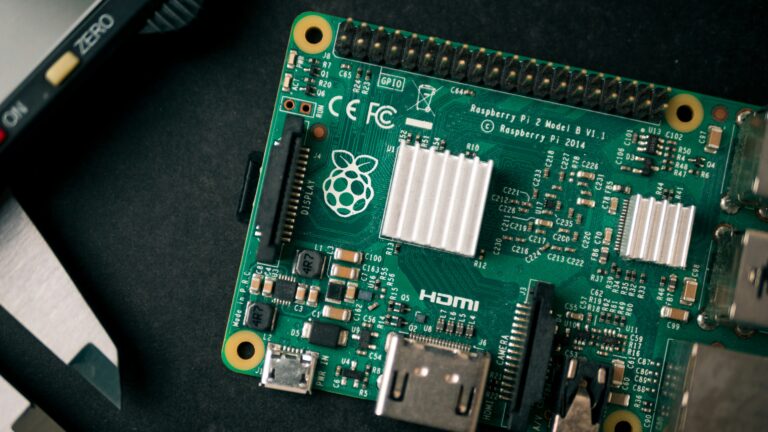
Home Assistant is a local-first platform. Everything runs on a small computer in your home — typically a Raspberry Pi. Your automations execute locally in milliseconds. Your data never leaves your house. No subscription fees, no cloud dependency, no risk of a company changing the rules.
This single difference drives almost every other comparison point below.
Ease of Setup
SmartThings wins here decisively. Download the app, plug in the hub, scan your devices. Samsung has invested heavily in making SmartThings approachable for non-technical users. Most people have basic automations running within an hour.
Home Assistant has a steeper learning curve. You’re installing an operating system on a Raspberry Pi, configuring integrations, writing automations in a visual editor that has its own logic. It’s not impossibly difficult — this site exists specifically to help beginners through it — but it takes longer to get running and longer to master.
Winner: SmartThings for pure ease of setup.
Device Compatibility
SmartThings supports Zigbee, Z-Wave, Wi-Fi, and Matter devices out of the box. Samsung has partnerships with major brands — Ring, Philips Hue, Google, Amazon — and the integration experience is generally polished.
Home Assistant supports over 3,000 integrations including everything SmartThings supports plus hundreds of devices and services SmartThings will never touch. Niche devices, local-only hardware, DIY sensors, custom firmware — if it exists, Home Assistant probably supports it. The community adds new integrations constantly.
Winner: Home Assistant — it’s not close.
Automations
SmartThings automations are simple and visual. If/then rules, time-based triggers, location-based automations. Works well for basic setups. Gets limiting quickly when you want complex logic — multiple conditions, time-based exceptions, device state history.
Home Assistant automations are significantly more powerful. The visual automation editor handles complex multi-condition logic, templating, scripts, scenes, and sequences. Advanced users write automations in YAML for even more control. The ceiling is essentially unlimited.
A real example: in Home Assistant you can create an automation that dims your lights to 30% only when a movie is playing on Plex, only between 8pm and midnight, only when at least one person is home, and only if the lights were already on. SmartThings can approximate this but with more friction and less reliability.
Winner: Home Assistant for anything beyond basic automations.
Reliability
SmartThings reliability has been inconsistent. Cloud outages have affected users multiple times — automations stop working, devices become unresponsive, the app can’t connect. Samsung has improved stability in recent years but the fundamental cloud dependency remains a risk.
Home Assistant running locally is as reliable as the hardware it runs on. A Raspberry Pi 5 on a quality SD card with a UPS for power protection runs essentially indefinitely without issues. No cloud = no cloud outages. Automations fire in under a second regardless of your internet connection.
Winner: Home Assistant — local always beats cloud for reliability.
Privacy
SmartThings: All device data, usage patterns, and automation activity flows through Samsung’s servers. Samsung’s privacy policy allows using this data for improving their services.
Home Assistant: All data stays on your local network. Nothing is sent to any external server unless you explicitly set up remote access. Your smart home activity is completely private.
Winner: Home Assistant — no competition.
Cost
SmartThings:
- SmartThings Hub: ~$60–130 depending on model
- No monthly subscription for basic features
- Some advanced features require Samsung subscriptions
Home Assistant:
- Raspberry Pi 5 4GB: ~$70
- SD card: ~$15
- Case and power supply: ~$22
- Total: ~$107
- No subscription ever
The hardware cost is comparable. Home Assistant wins on long-term cost because there are no subscription fees and no risk of features being paywalled in future updates.
Winner: Home Assistant on long-term cost.
Community and Support
SmartThings has Samsung’s official support, a large user community, and years of YouTube tutorials. Finding help for common setups is easy.
Home Assistant has one of the most active open source communities in existence. The Home Assistant forums, Reddit’s r/homeassistant, and countless YouTube channels produce new content daily. The documentation is extensive and regularly updated. For almost any problem you encounter someone has already solved it and written about it.
Winner: Tie — both have strong communities, different flavors.
Which One Should You Choose?
Choose SmartThings if:
- You want the simplest possible setup with minimal configuration
- You’re not comfortable with technical setup on a Raspberry Pi
- Your smart home needs are basic — a few lights, a thermostat, some automations
- You’re already deep in the Samsung ecosystem
Choose Home Assistant if:
- You want full control and privacy
- You plan to grow your smart home significantly over time
- You want automations that actually work reliably
- You’re willing to spend a few hours on initial setup in exchange for years of reliability and flexibility
- You want to integrate with a Synology NAS, Plex, or other self-hosted services
Our honest recommendation:
Home Assistant. The setup investment is real but it pays off within weeks. Once it’s running it’s more reliable, more private, more powerful, and more future-proof than SmartThings. And unlike SmartThings, nobody can take it away from you.
The fact that you’re reading a guide on thenestlab.net suggests you’re someone who wants control over your home tech. Home Assistant is built for exactly that.
What You Need to Get Started With Home Assistant
Or if you want to try SmartThings first:
Ready to set up Home Assistant? Read our guide to the best Raspberry Pi for Home Assistant in 2026 — everything you need to get started.