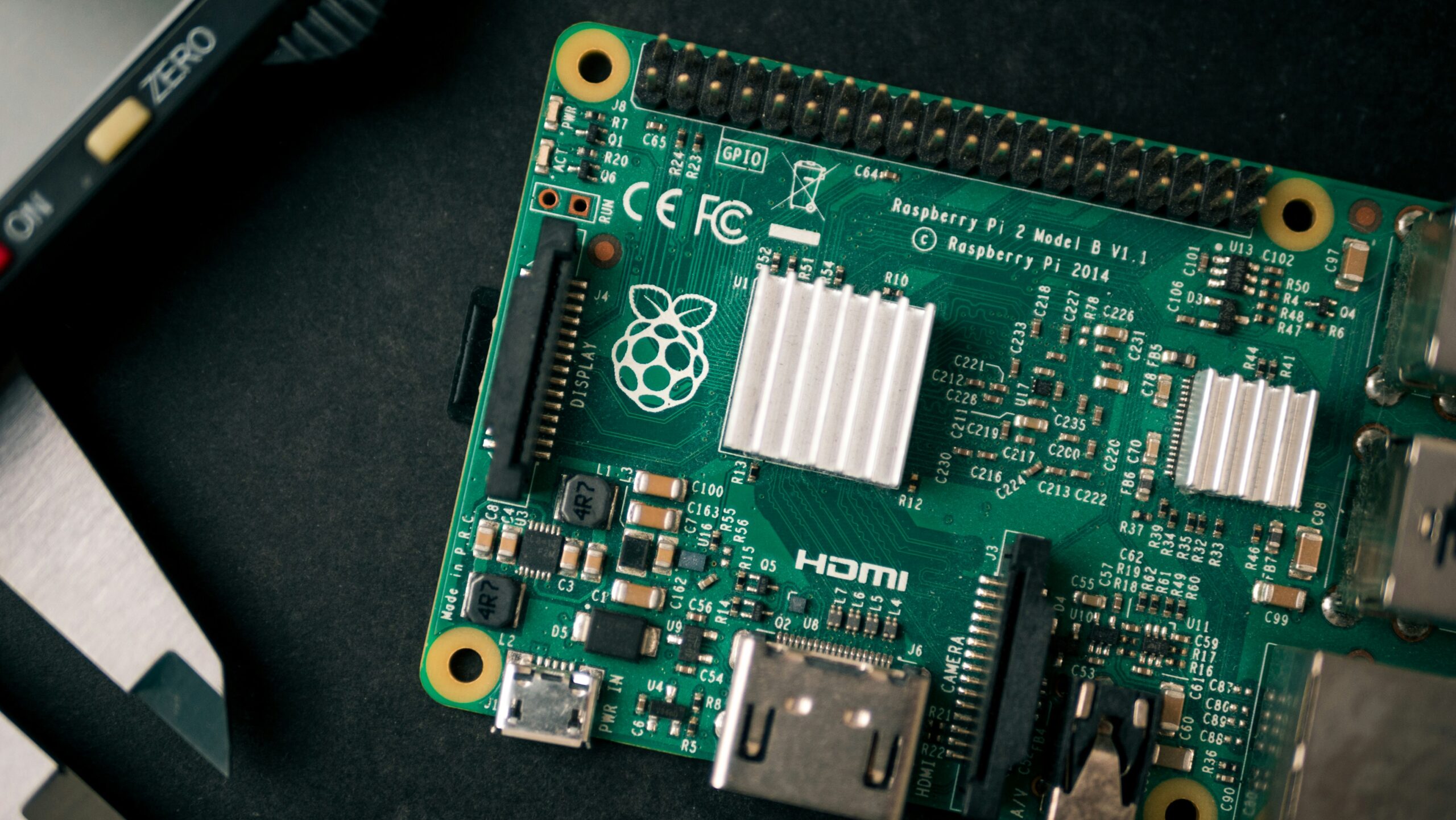
Best Raspberry Pi for Home Assistant in 2026: Which One Should You Buy?
Home Assistant is the most powerful smart home platform available — but only if it’s running on hardware that can keep up. The wrong Raspberry Pi means slow dashboards, automations that lag, and a frustrating experience that makes you want to give up on the whole thing.
This guide tells you exactly which is the best Raspberry Pi for Home Assistant 2026, based on what you actually want to do with your smart home.
Table of Contents
Do You Even Need a Raspberry Pi?
Before we get into models, it’s worth asking. If you already have a Synology NAS running, you can run Home Assistant as a Docker container directly on it — no Pi required. We cover that in a separate guide.
But if you want a dedicated, always-on device purely for Home Assistant — which is the setup we personally recommend for reliability — a Raspberry Pi is still the best value option available.
The Short Answer
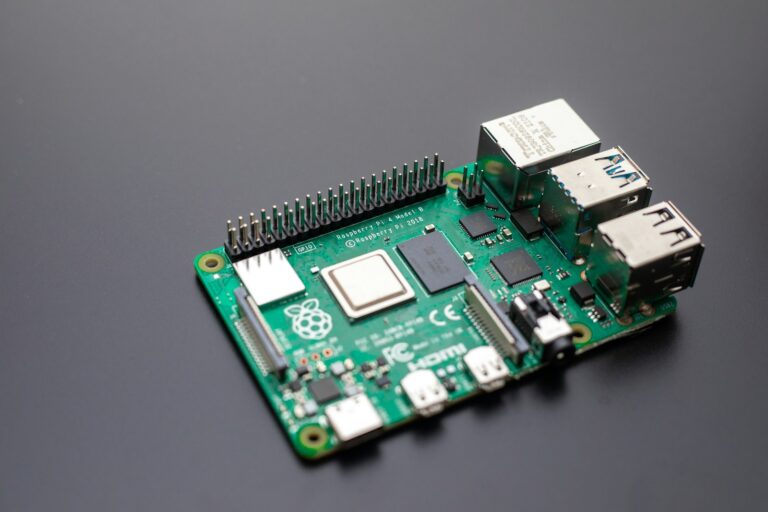
Buy a Raspberry Pi 4 (4GB) if you’re on a budget. Buy a Raspberry Pi 5 (4GB or 8GB) if you want the best experience.
Everything below explains why.
Raspberry Pi 4 — The Reliable Workhorse
RAM options: 2GB, 4GB, 8GB Price (4GB): ~$55
The Pi 4 has been the Home Assistant community’s go-to hardware for years. It’s fast enough to run Home Assistant smoothly, has excellent community support, and is available at a lower price than the Pi 5.
For a standard Home Assistant setup — controlling lights, running automations, managing a handful of integrations — the Pi 4 4GB handles everything without breaking a sweat. The 2GB model is technically enough but gives you less headroom as your setup grows. Always go 4GB minimum.
What the Pi 4 handles comfortably:
- Full Home Assistant OS installation
- 20-30 active integrations
- Zigbee or Z-Wave USB dongle
- Basic dashboards and automations
- Synology NAS integration and backups
Where it starts to struggle:
- Running multiple add-ons simultaneously (like a local AI assistant, a VPN, and a media server all at once)
- Very large installs with 50+ integrations and complex automations
- Video processing or camera feeds
Raspberry Pi 4 4GB on Amazon →
Raspberry Pi 5 — The Best Home Assistant Experience in 2026
RAM options: 4GB, 8GB Price (4GB): ~$70 | Price (8GB): ~$85
The Pi 5 is a significant step up from the Pi 4. It’s roughly 2-3x faster in real-world tasks, which means Home Assistant dashboards load instantly, automations execute with no perceptible delay, and the whole system feels snappier.
If you’re starting fresh in 2026, the Pi 5 is worth the extra $15 over the Pi 4. You’ll notice the difference every single day when you interact with your smart home.
The 4GB model is the sweet spot for most home users. The 8GB model makes sense if you plan to run additional services alongside Home Assistant — like a local AI model, Pi-hole, or additional containers.
What the Pi 5 handles comfortably:
- Everything the Pi 4 does, faster
- 50+ integrations without slowdown
- Multiple resource-heavy add-ons simultaneously
- Local AI processing (like Wyoming Whisper for voice commands)
- Faster database writes for long-term statistics
Raspberry Pi 5 4GB on Amazon → Raspberry Pi 5 8GB on Amazon →
What Else Do You Need?
The Pi alone isn’t enough. Here’s the complete shopping list:
MicroSD Card — Get a Good One
Recommended: SanDisk Extreme Pro 32GB or 64GB (~$12-15)
Home Assistant writes to the SD card constantly — logging events, updating states, storing history. Cheap SD cards fail under this kind of sustained write load, sometimes within months. The SanDisk Extreme Pro is rated for sustained writes and has a strong track record in the Home Assistant community.
Don’t cheap out here. A $10 SD card failing and corrupting your Home Assistant install is a nightmare to recover from.
SanDisk Extreme Pro 64GB on Amazon →
Case — Protect Your Investment
Recommended: Official Raspberry Pi Case (~$10)
The official case is straightforward, protects the board, and includes a small fan for the Pi 5 (which runs warmer than the Pi 4 and benefits from active cooling).
Official Raspberry Pi 5 Case on Amazon →
Power Supply — Don’t Skip This
Recommended: Official Raspberry Pi Power Supply (~$12)
Underpowering a Pi causes all kinds of instability — random reboots, SD card corruption, USB devices not working reliably. The official power supply delivers the correct amperage. It’s not glamorous but it matters.
Official Raspberry Pi 5 Power Supply on Amazon →
Ethernet Cable — Wired is Always Better
Home Assistant works over Wi-Fi but a wired ethernet connection is dramatically more reliable. If your router is nearby, run a cable. Your automations will thank you.
The Zigbee Question
If you’re planning to control Zigbee smart home devices through Home Assistant — which we highly recommend over Wi-Fi smart home devices — you’ll need a Zigbee USB dongle.
Best option: SONOFF Zigbee 3.0 USB Dongle Plus (~$20)
Plug it into a USB port on your Pi, install the Zigbee Home Automation integration in Home Assistant, and you can control hundreds of Zigbee devices locally — no cloud, no subscription, no latency.
SONOFF Zigbee Dongle on Amazon →
Complete Shopping Lists
Budget Setup (Pi 4):
| Item | Price |
|---|---|
| Raspberry Pi 4 4GB | ~$55 |
| SanDisk Extreme Pro 64GB | ~$15 |
| Official Pi 4 Case | ~$10 |
| Official Pi 4 Power Supply | ~$12 |
| SONOFF Zigbee Dongle | ~$20 |
| Total | ~$112 |
Recommended Setup (Pi 5):
| Item | Price |
|---|---|
| Raspberry Pi 5 4GB | ~$70 |
| SanDisk Extreme Pro 64GB | ~$15 |
| Official Pi 5 Case | ~$10 |
| Official Pi 5 Power Supply | ~$12 |
| SONOFF Zigbee Dongle | ~$20 |
| Total | ~$127 |
Our Recommendation
Raspberry Pi 5 4GB is the one to buy in 2026. The $15 premium over the Pi 4 is worth it for the speed improvement alone, and you’ll be running this device 24/7 for years. Start with the right hardware.
Pair it with a SanDisk Extreme Pro SD card, the official case and power supply, and a SONOFF Zigbee dongle and you have a complete, reliable Home Assistant setup for around $127.
Shop the complete Pi 5 setup on Amazon →
Ready to set up Home Assistant once your Pi arrives? Check out our beginner’s guide to getting started with Home Assistant on a Raspberry Pi — coming soon.